Let's explore the Rich, a Python library ✨🐍
[ Thunder and lightning as seen through interior window. Woman and a laptop seated at a desk. Woman looks up, addressing the audience.]

I'm currently a student enrolled in Flatiron School's Software Engineering bootcamp. With a background in frontend web development, I'm taking steps towards becoming a Full-stack Developer and writing about it along the way.
When I'm not thinking about code, you'll find me listening to an audiobook, working on a jigsaw puzzle, or looking for the best snacks.
Say you're writing a purely text-based CLI app in Python, but it's 2024 and you want to enhance your program's user experience and present content in a way which increases readability and therefore (hopefully) provides a more pleasant experience. I see you there, nodding your head and whispering, "Yes, that! Teach me how!"
Where's that goblin?
This Let's Learn Together article gives a short introduction to Rich using a Python program called The Angry Goblin Hunt as our example. For those who are curious, this compact game is straight from from Chapter 1 of The Python Coding Book, which is a free and beginner friendly introduction to Python. In the game, the user is prompted to guess where the goblin is hiding—
[ Angry Goblin wearing a sash reading "ANGRY GOBLIN" knocks at door at stage LEFT. Woman goes to answer. ]
There you are! Perfect timing. Now that we have our game, let's have a look at the starter code:
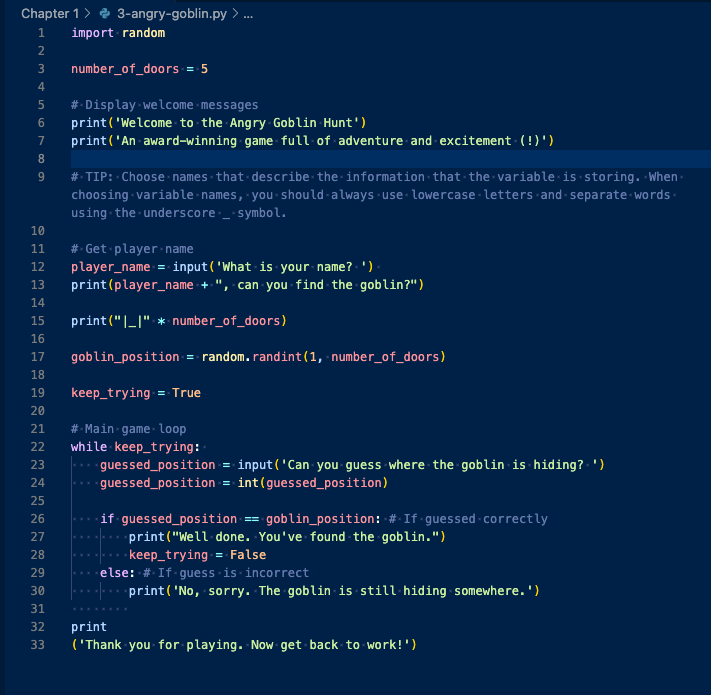
Our program simply prints a set number of doors and makes use of a few strings paired with a random number for the player to guess. Here are a few examples of what the game looks like in our terminal.
Here's what the game looks like:
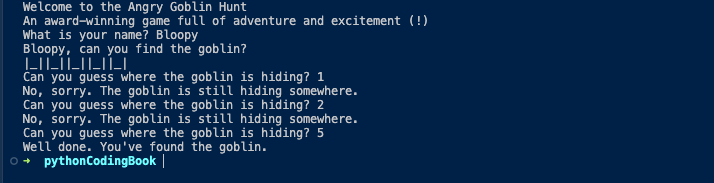
Pretty plain, right? How might we use formatting to make the game more interesting? Could emphasis be put anywhere to increate readability? Or are there place we see where some small animation or something unexpected could be included as a nice surprise?
If only we had a friend to help us with the heavy lifting...
[ Rich enters stage RIGHT, stretching and yawning as if waking from a nap ]
Meet Rich:
Rich is a Python library for rich text and beautiful formatting in the terminal.
To get started, go ahead and install Rich with:
python -m pip install rich
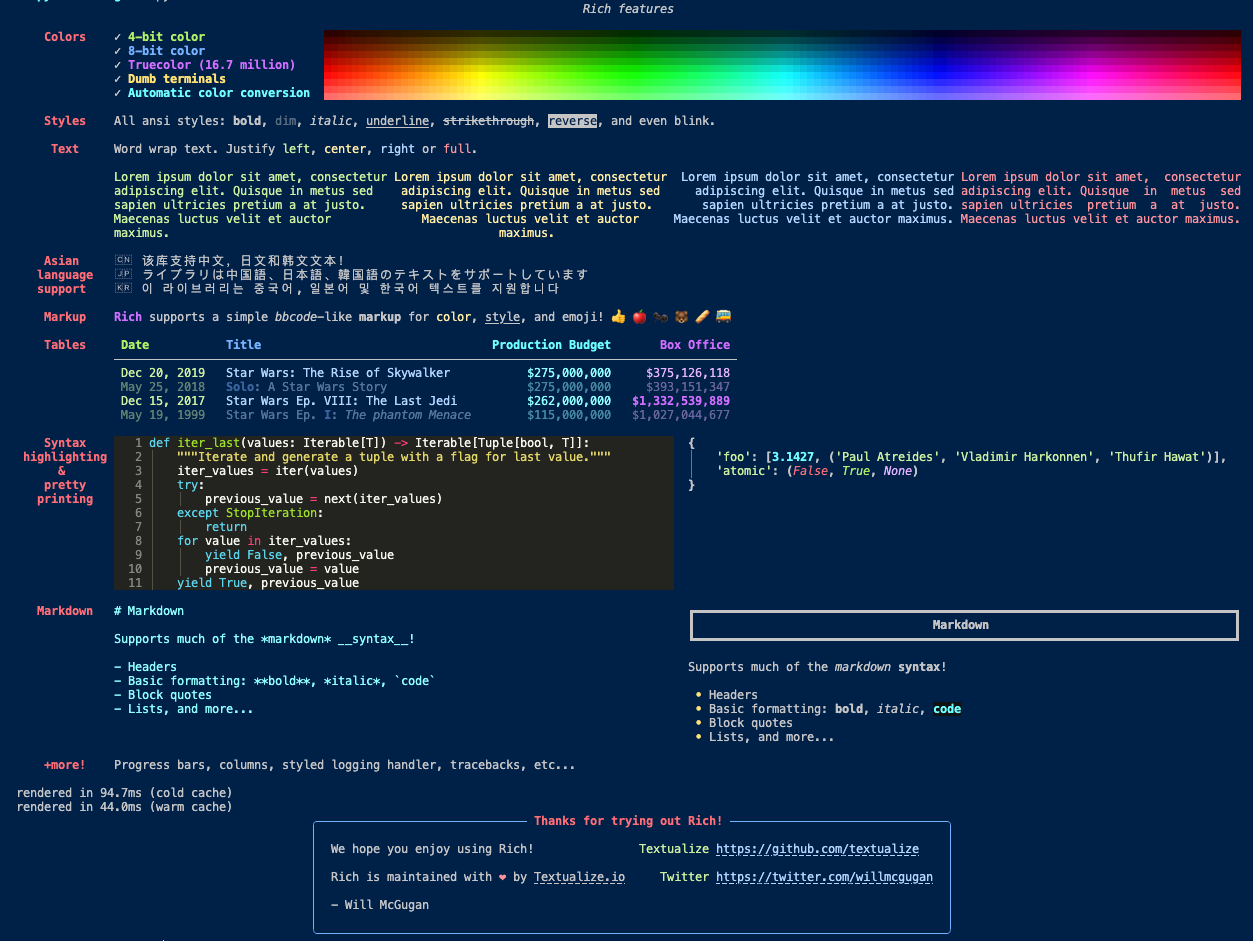
First things first, know that Rich comes with a few functionality demos built in. They're a neat way of getting an overview of different things you can do with this library. (It's also a simple way to check that your installation works correctly.)
Let's try it.
python -m rich
Rich will then print the following in your console.
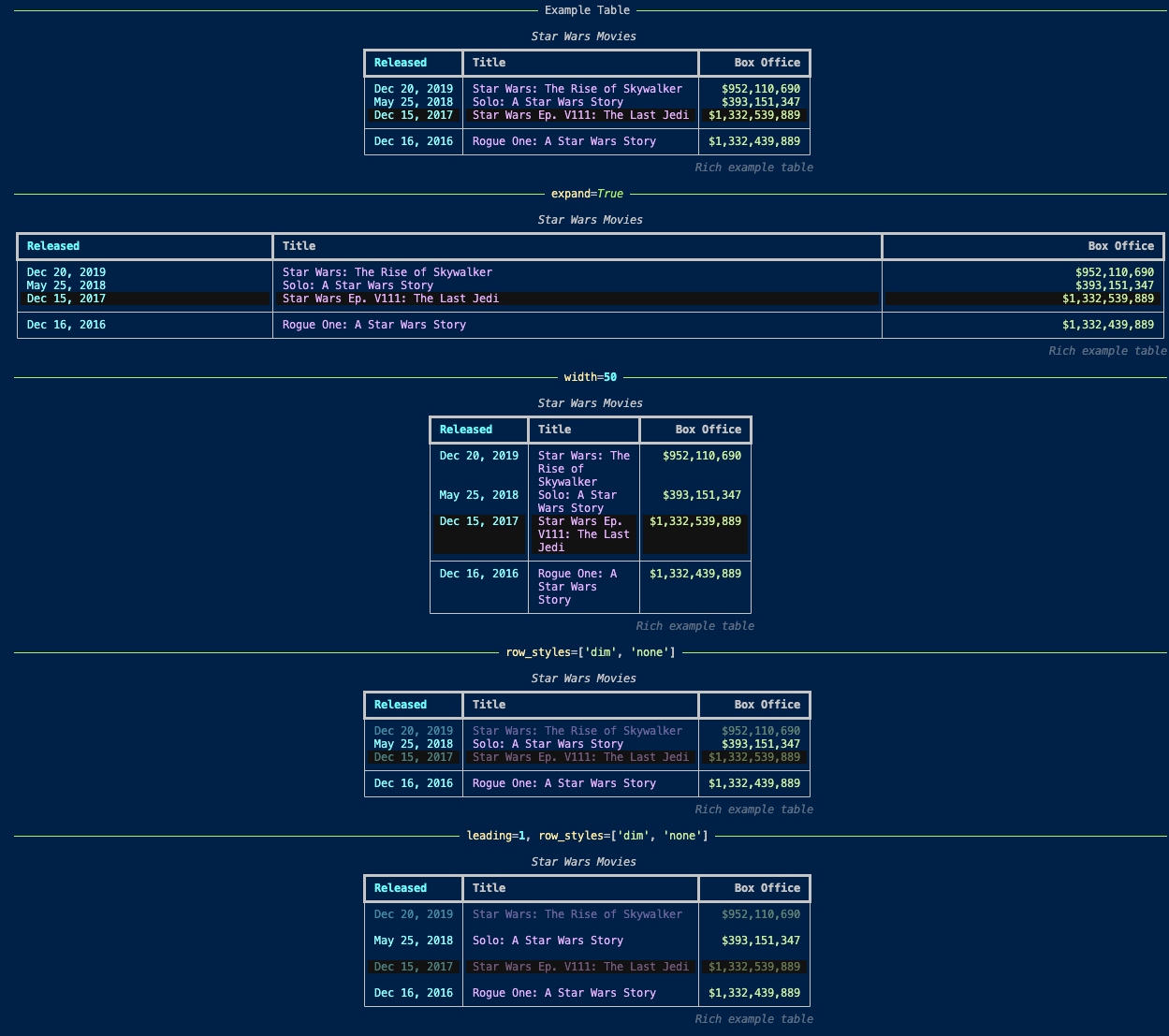
To preview some table styles use:
python -m rich.table
Which prints the following (and more):
The following commands will allow you to preview examples of animated progress bars and some snazzily informative status indicators:
python -m rich.progress
python -m rich.status
Try them out and come back.
Let's try it
Feeling inspired?
[ Woman rolls up sleeves ]
For the sake of illustration, the Angry Goblin Hunt has been updated. When it is played, it now appears as the following.
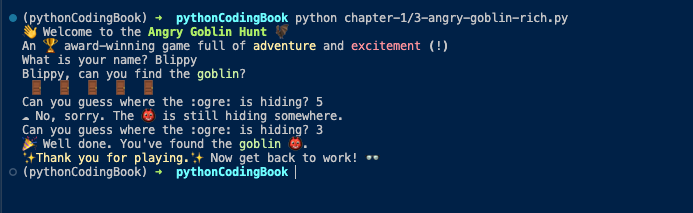
As you can see, door symbols have been swapped for door emojis. Some text is emphasized with colors and bold styles. And other emoji have been sprinkled around.
How was it done?
Here's the code along with a walkthrough of changes:
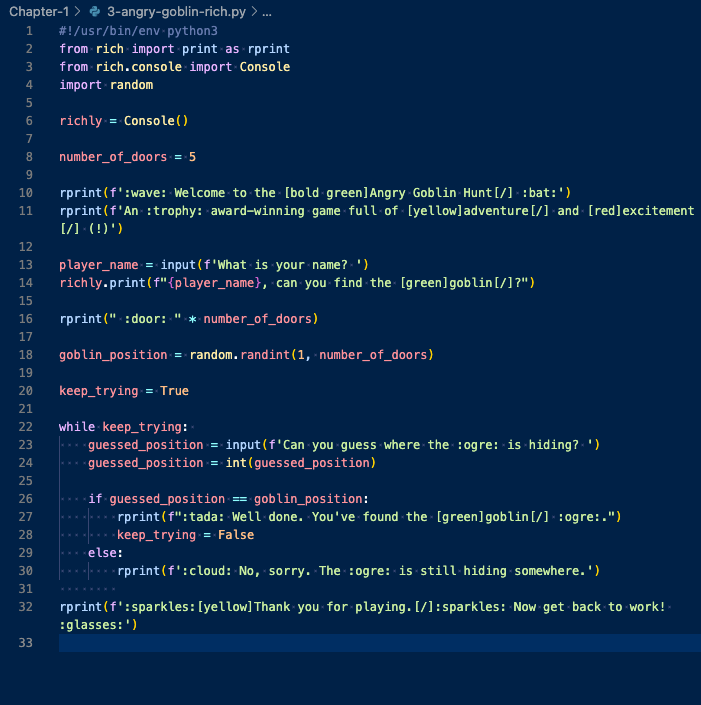
First we import what we need from Rich.
Then we set a variable for Rich's Console function called "richly".
All strings have been reviewed and updated to include formatting tags and emoji names.
Finally, all print statements which have changed are updated using the correct variables (either "rprint" or "richly.print" in this case).
Outro
[ All stand in a row facing the audience ]
Now that you've had a changed to see a few examples of what Rich can do to enhance your CLI, it's time for you to go off and see what you can do with this helpful library. We've only just scratched the surface here and hope that you'll come back to leave a comment about the cool things you've been able to accomplish while exploring this little library.
[ All bow ]
[ CURTAIN ]
References
The Python Coding Book: The Angry Goblin Hunt
Rich - Documentation
Rich on GitHub